Online Workshops
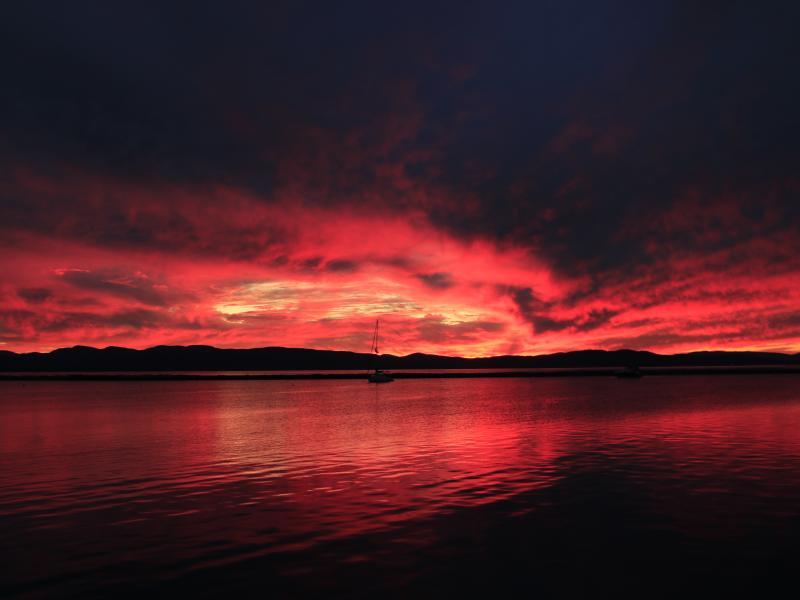
Photo Workshop: Camera Settings
Think of the camera as a tool that captures light and transforms it into an image. To achieve this, you need to understand and control three key settings: aperture, shutter speed, and ISO. Photographer and YWP alumni Kevin Huang shows you how.
[Lake Champlain, VT. Photo by Kevin Huang, YWP Alumni]
If you have the opportunity to use a camera with manual settings, it's worth your time to experiment with its settings. It will make you a better photographer if you understand the basics.
Aperture: Controlling the Light
Aperture is the opening in the lens that controls the amount of light entering the camera. Think of it as the pupil of your eye — it opens and closes to let in more or less light. A wide aperture (low f-number or f-stop) lets in more light, blurring the background (great for portraits). A narrow aperture (high f-number or f-stop) lets in less light, keeping more of the image in focus (perfect for landscapes).


Shutter Speed: Freezing or Blurring Time
Your camera's shutter is like a curtain. This controls how long the camera's sensor is exposed to light. A fast shutter speed freezes action, which is great for capturing fast-moving subjects like sports or wildlife. A slow shutter speed means the sensor is exposed to light longer, creating motion blurs like in smooth waterfalls or light trails at night.


ISO: Sensitivity to Light
This setting determines how sensitive your camera's sensor is to light. A higher ISO setting allows the camera to capture images in low-light conditions, but it can also introduce noise or grain. A lower ISO allows you to capture images in bright conditions.


Balancing All Three: To get the perfect shot, you'll need to balance these three settings. For example:
- Capturing a fast-moving subject in low light: Use a high ISO, fast shutter speed, and wide aperture.
- Shooting a landscape with everything in focus: Use a low ISO, slow shutter speed, and narrow aperture.
If you have a DSLR camera, use the Manual mode to play around with all three settings. Some smartphones may also have Manual mode for you to manipulate these settings. With a bit of practice, you'll be able to master these settings and take amazing photos!
Respond to this workshop by posting your own creations!
— Workshop created by Kevin Huang, YWP alumni